Applies to Windows 11
You must be online to complete the setup.
You can either use your mobile data plan or set it up in advance on another trusted network, such as at home.
Have your eduroam login credentials ready.
If you haven’t set up your eduroam password yet or don’t remember it, log in to https://ldapuser.cuni.cz/language/switch?lang=en and, in the menu on the left under Other Accounts / Set Password for eduroam realm cuni.cz, set a new password or check which one is currently set. Your CAS password does not work here. More information
1. In your web browser, go to https://www.geteduroam.app and download the installation application according to your device (pay attention not only to the operating system, but also to the Intel/AMD or ARM architecture):

2. Double-click to run the downloaded exe file:
Tip: If you can't find the downloaded file, check your Downloads folder .

3. Click the Connect to eduroam button:

4. Select the institution Charles University or Univerzita Karlova and click Next:

5. Unless otherwise instructed, select the eduroam profile and click Next:

6. Check the selected institution and click Next:

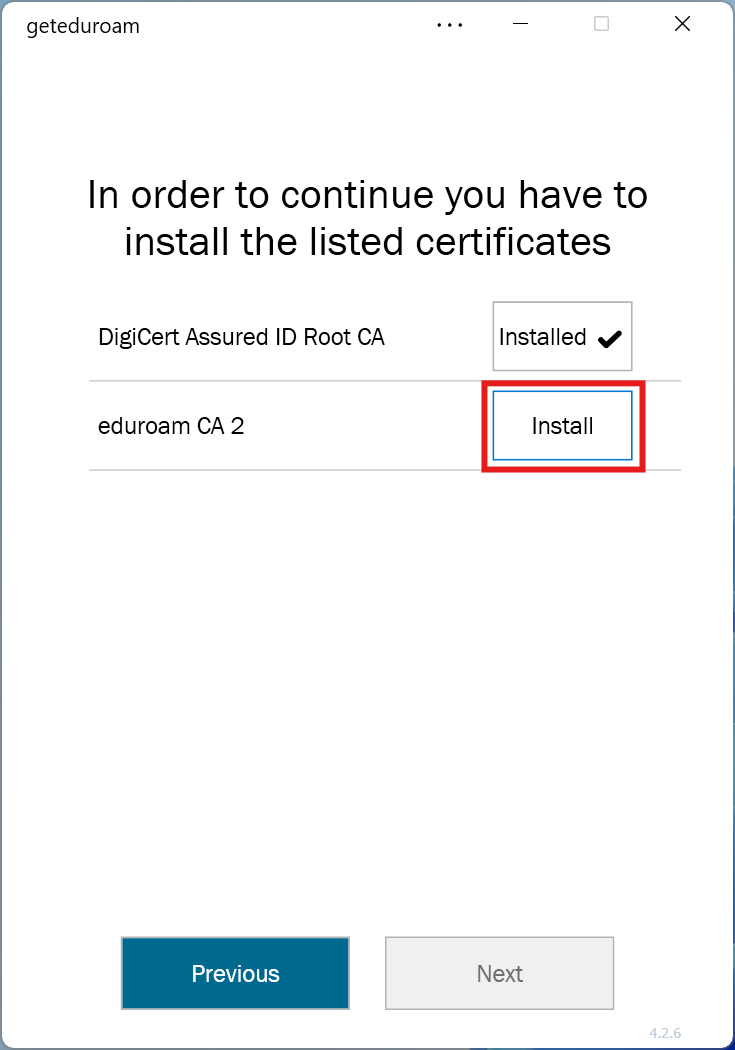
7. Install the eduroam CA 2 certificate by clicking Install:
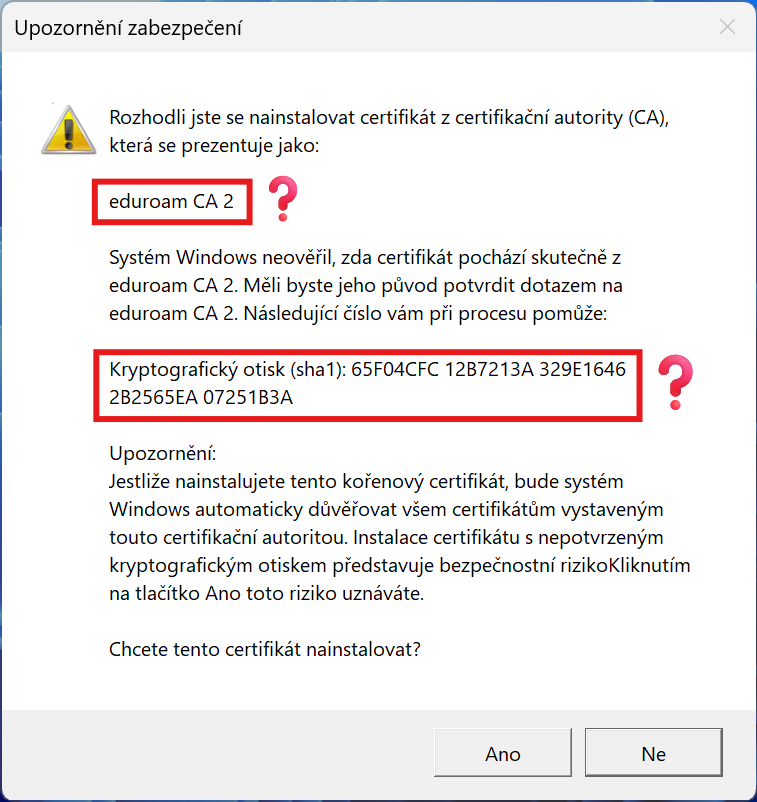
8. Check the correctness of the installed certificate by comparing the cryptographic fingerprint with the data here and click Yes:
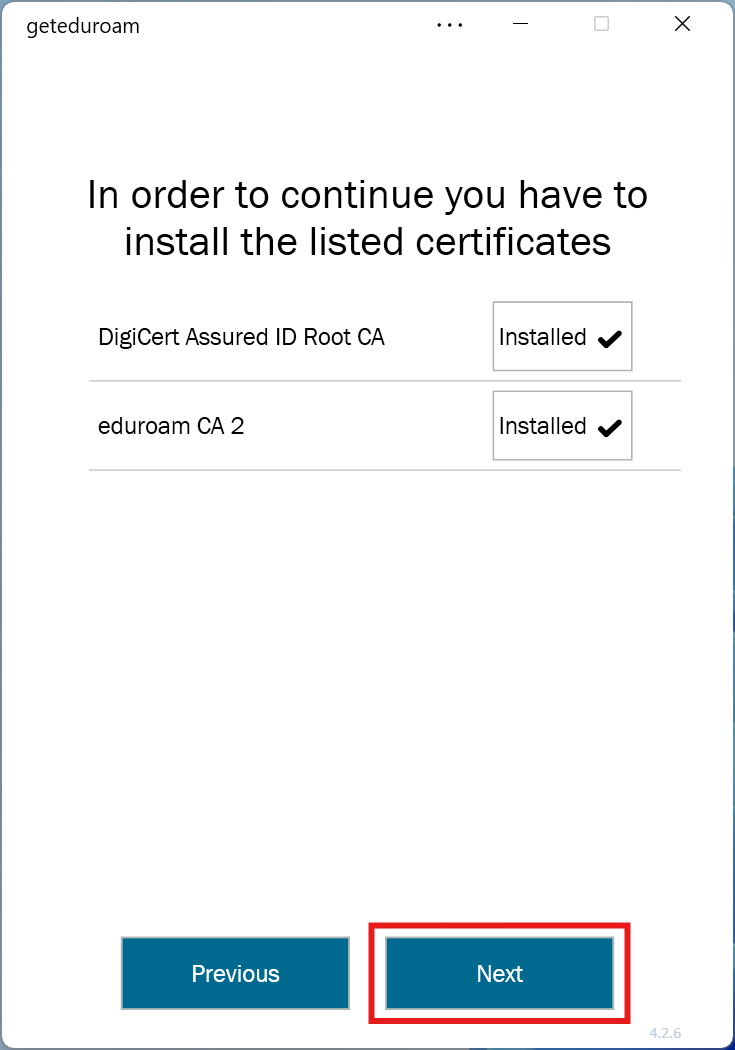
9. Click Next to continue:
10. Enter your eduroam username and password and click Connect:
Hint: The username has the form your_person_number@cuni.cz (e.g. 12345678@cuni.cz)

11. If you see the message You are now connected to eduroam, you can close the window by clicking the button in the top right:

12. You should now be connected to eduroam:

Follow these instructions step by step:
Before you begin: First, download the certificate in *.cer format . On the page where you download the certificate, you will also find a certificate fingerprint, which you will need to compare or insert in some steps.
Charles University, Information and Communication Technologies
Charles University
Ovocný trh 560/5
116 36 Prague 1
Czech Republic
Phone: +420 224 491 647
E-mail: