Students of selected faculties (LF1, FF, FHS, FSV, PEDF) and staff users of Charles University can obtain a user account in domain JINONICE which enables him/her to make use of following services:
logging in at the computers in domain JINONICE – e.g., PC rooms (Faculty of Arts and Philosophy and 1st Faculty of Medicine) + other PCs of some faculties
network disk space (H:) of 100MB, roaming profile of 30MB
logging in at networks within the eduroam project
The domain accounts for staff users of Faculty of Arts and Philosophy, Faculty of Humanities and 1st Faculty of Medicine are created only by local IT department (LVT/OVT) of a particular faculty. Other staff users can fill in the form at http://poradna.cuni.cz/.
Students can apply for creating an account electronically – see below.
Users have to fulfill the following conditions:
To have CU ID card - see https://cuni.cz/UKEN-163.html
To have verified password for Charles University Authentication Service - see https://cas.cuni.cz/en/doc/faq
Students must have registered courses!
1. Account status verification in domain JINONICE:
https://user.jinonice.cuni.cz/login/en
Please enter your personal number (printed on student ID card under the picture).
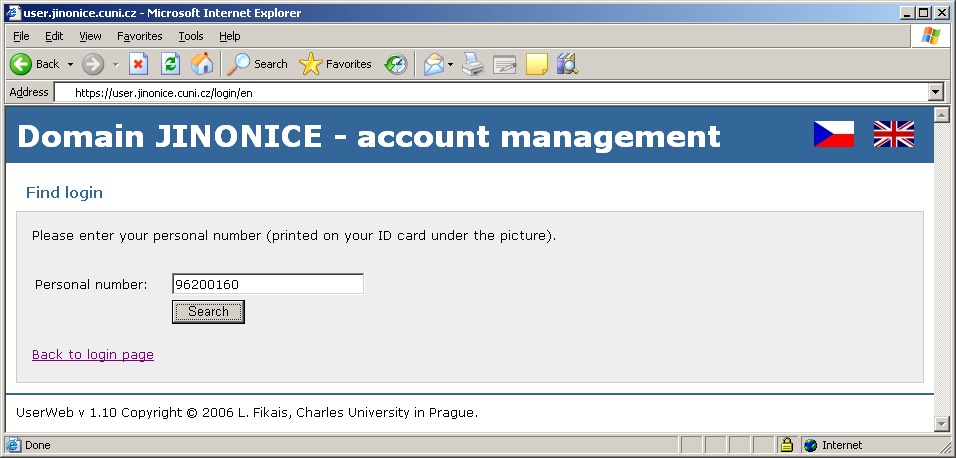
If the account does not exist, press the create account button and wait until it is created. Then repeat the action. If the account is created, follow step 2.
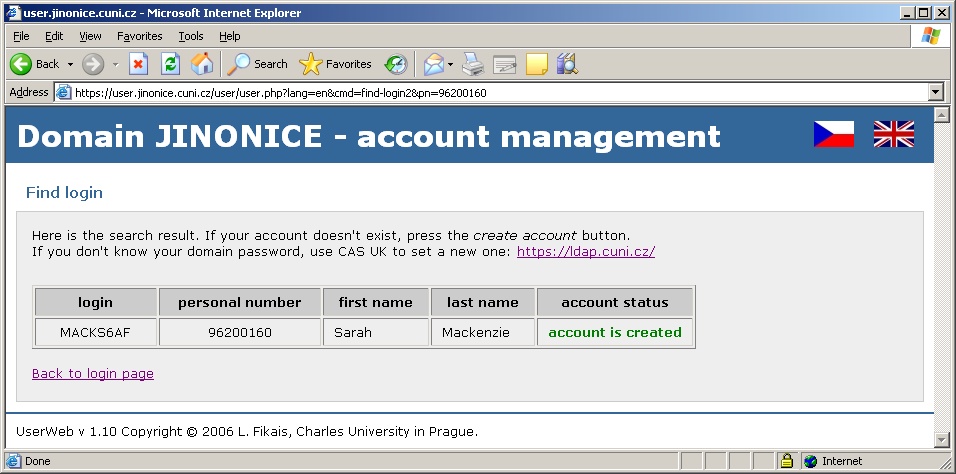
2. Domain password setting through CAS UK (Charles University Authentication Service) - https://cas.cuni.cz/en
Please enter your personal number (printed on student ID card under the picture) and a password for CAS. If you don´t know or have forgotten your password for CAS, visit a CU Student ID Cards Centre and ask for setting a new one. For more information see https://cas.cuni.cz/en/doc/about.
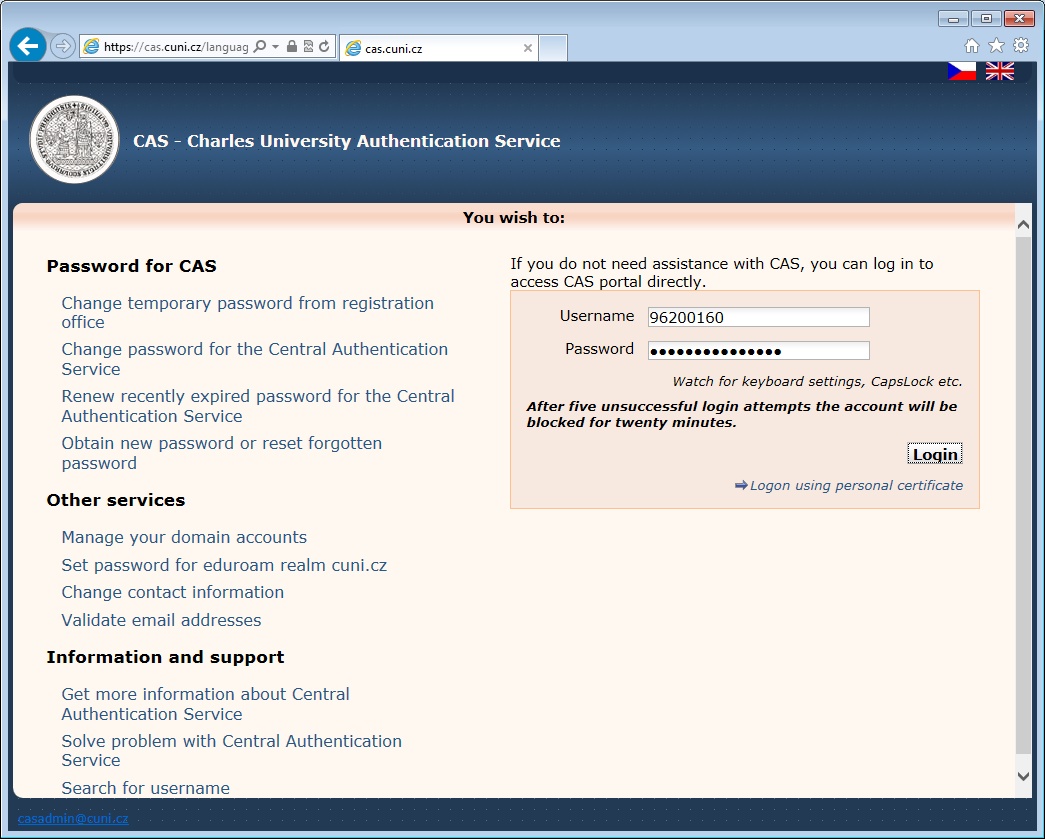
In the Password for JINONICE tab enter a new password for the domain. Passwords must meet the following conditions:
Password is valid for 365 days.
Minimal length of the password is 7 characters.
Password cannot be a name, surname or a login.
Password has to contain characters at least of three following categories: small letters, CAPITAL letters, digits, special characters (e.g., !@#$%^&*, punctuation marks).
Please do not use local characters – the password would not work in some applications.
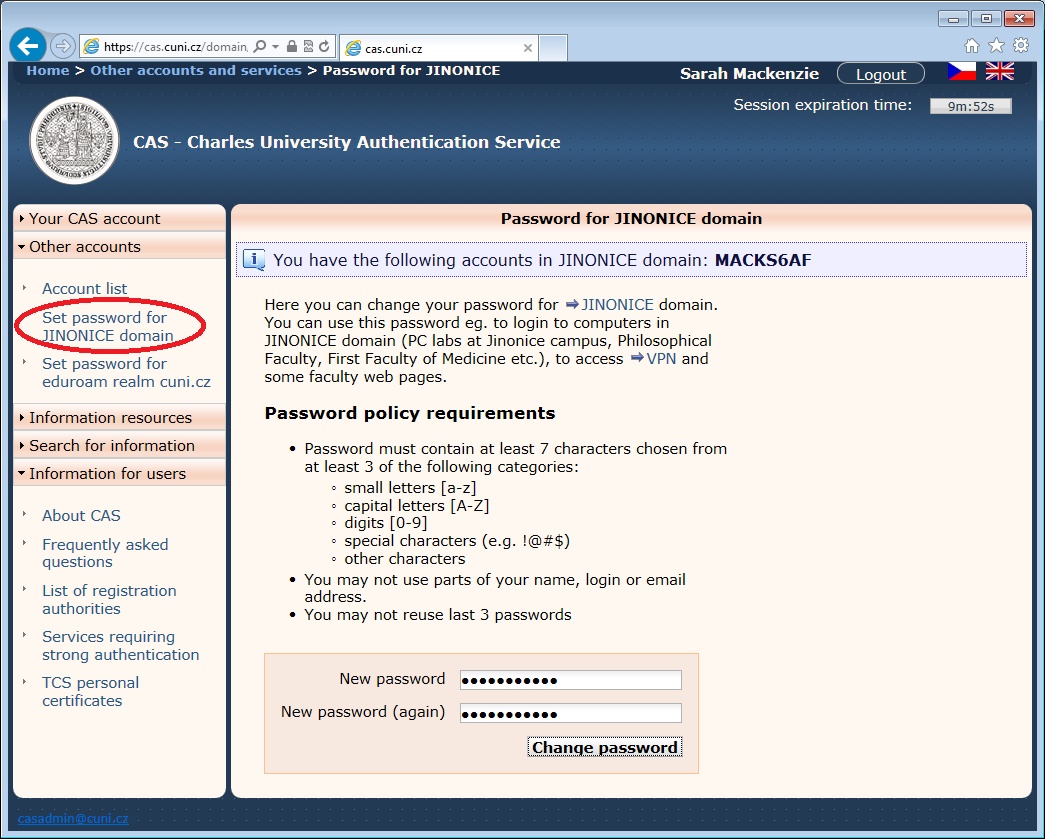
If you have entered a password compliant with the conditions mentioned, the password has been saved in the domain. Simultaneously an account login will be displayed for the accounts with newly set password.
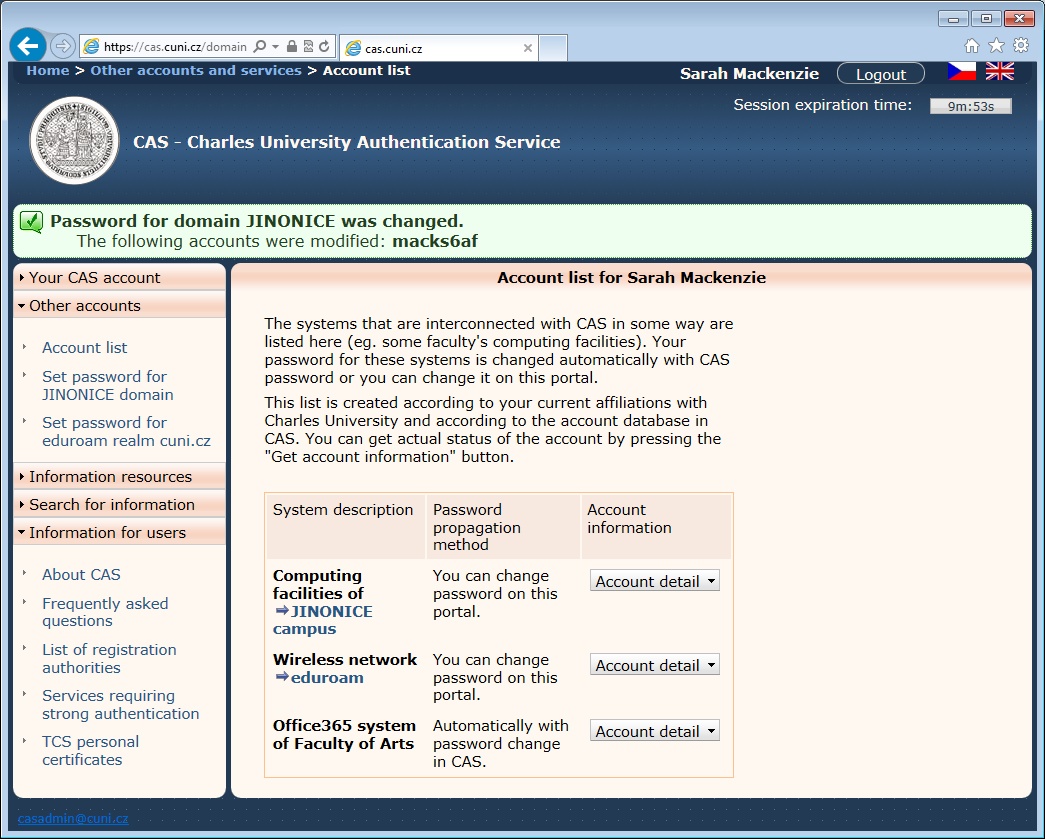
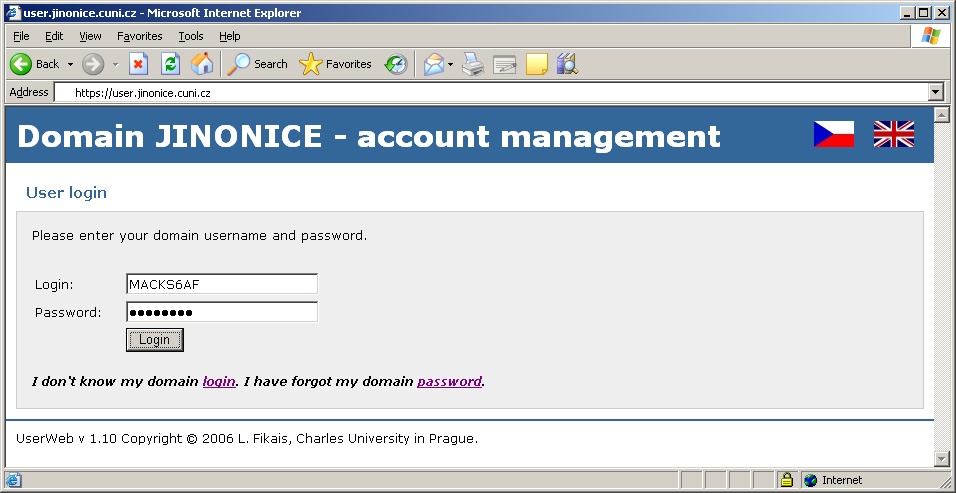
Now you should verify the functionality of the account on page https://user.jinonice.cuni.cz/user/en. Please enter your username (login) and a new password for the domain.
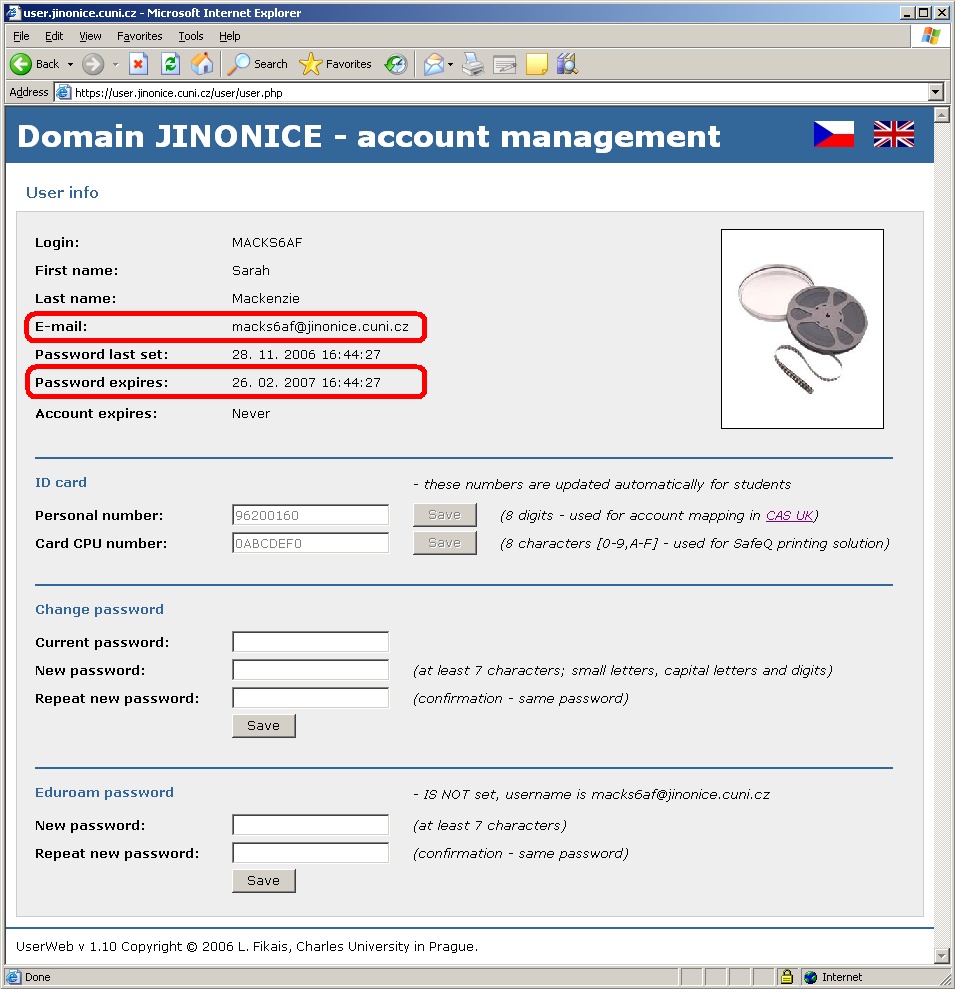
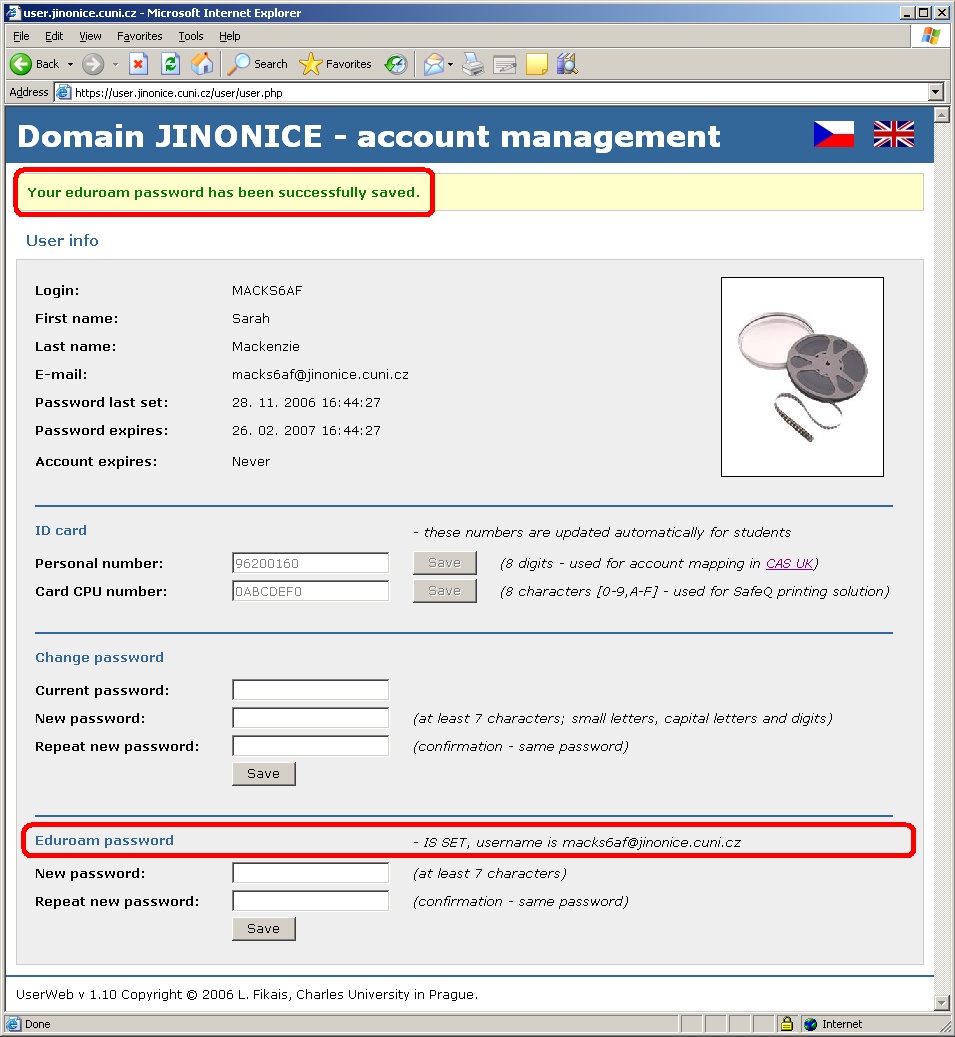
If everything is OK, the following page will be displayed. The upper right picture should be the same as the one on your CU ID card.
You can use this page for future password changes in domain and for setting a password for connecting to networks within the scope of the eduroam project.
The account is valid for duration of the study. When study is finished (according to IS UK data) the account expiration will be set to study expiration date + 31 days.
For logging in at networks within the eduroam project a secondary password (network password) is used for security reasons.
Please enter a new eduroam password. The password has to contain at least 7 characters and cannot be identical either to domain password or to username (login).
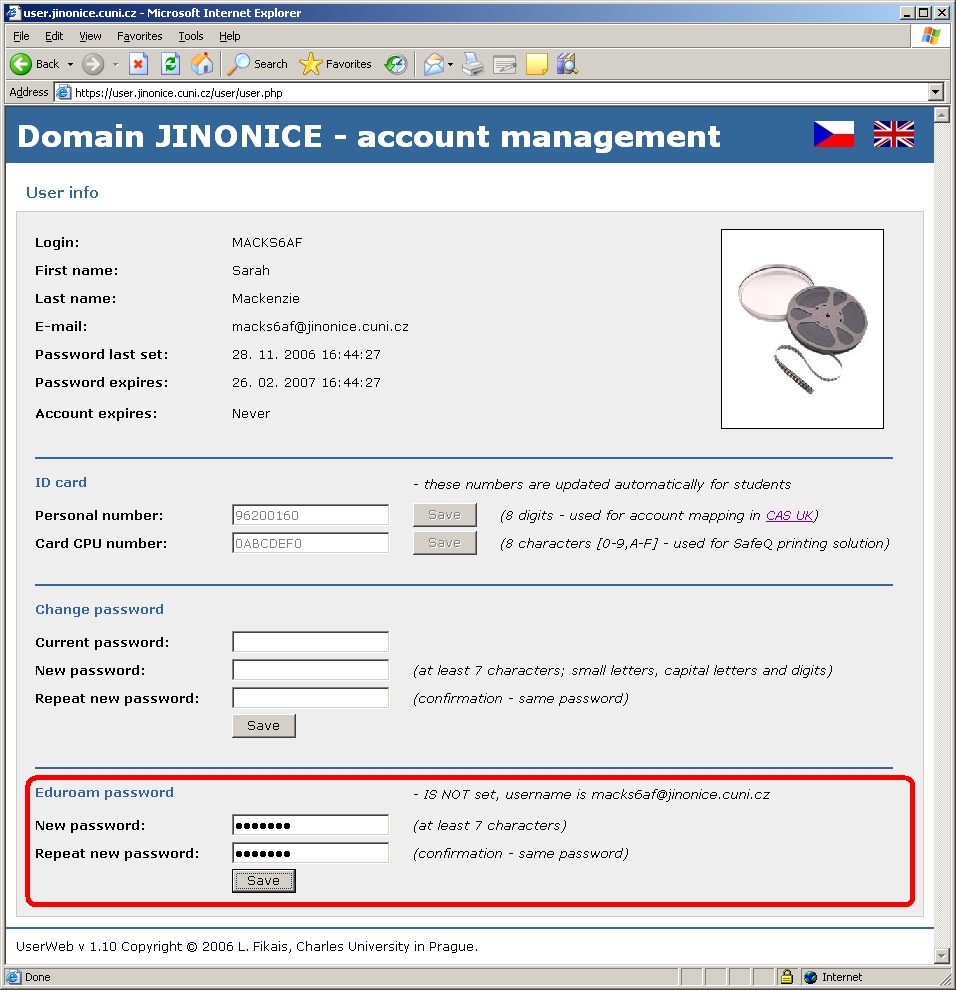
Your eduroam password has been saved and your eduroam username is displayed (see a red lower box) which consists of your domain username (login) and a realm (domain).
Charles University, Information and Communication Technologies
Charles University
Ovocný trh 560/5
116 36 Prague 1
Czech Republic
Phone: +420 224 491 647
E-mail: